
PDF Generator for WordPress
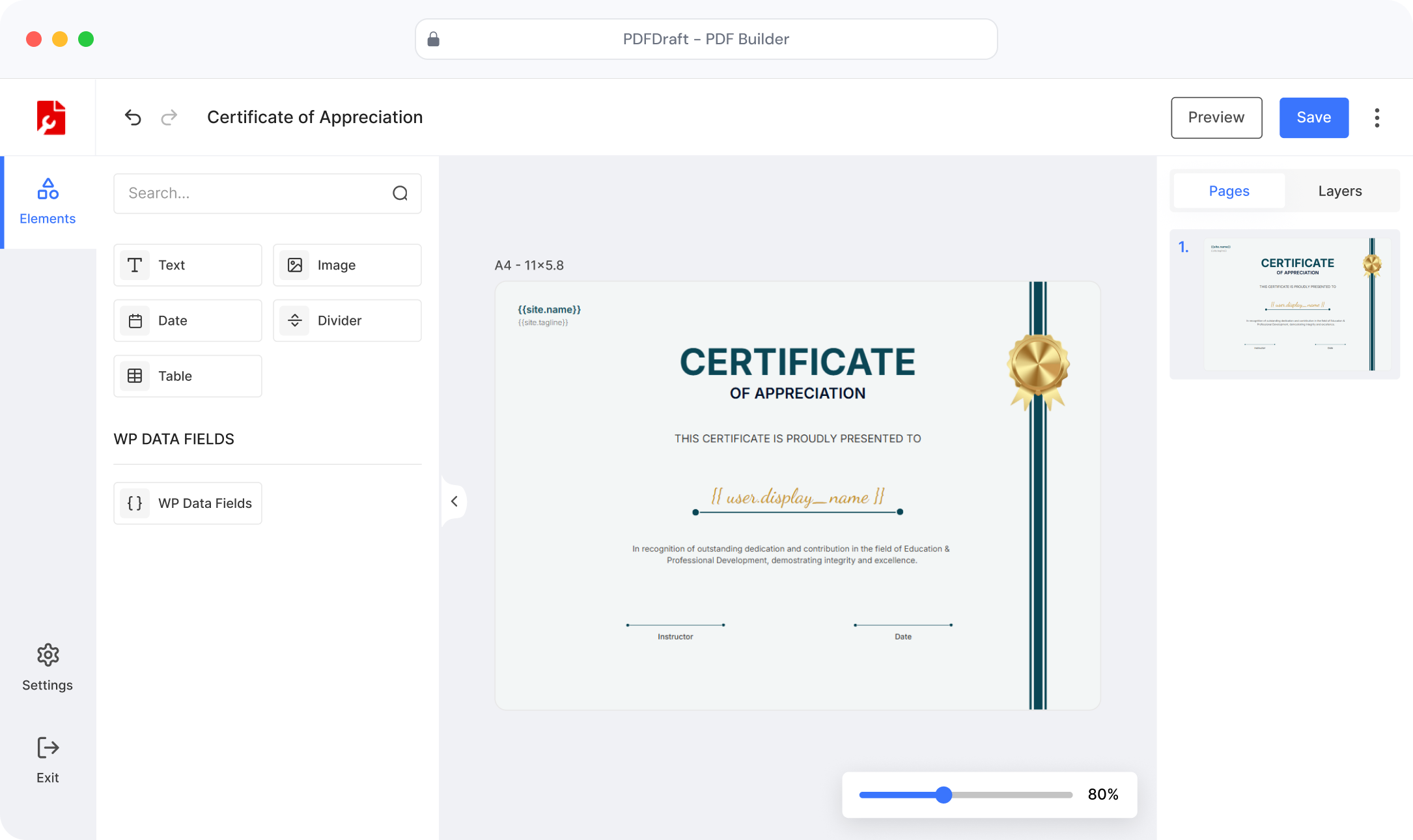
Design certificates, invitations, and documents with smart
tags that auto-fill names, dates, and custom fields,
no code needed.
Or
try the free version
Order Invoices
Customer Receipts
Branded Documents
Packing Slips
Downloadable PDFs


2 min
Average Setup Time
0
Lines of Code Needed
∞
Rules you can Create
100%
WordPress Native
WHY PDFDRAFT
Everything you need to create
professional PDFs
From custom templates to automatic generation — we’ve thought of
everything so you don’t have to write a single line of code.

Visual Template Builder
Drag-and-drop canvas with full control over layout, typography, colors, and content placement.

Instant PDF Generation
PDFs generate instantly on every submission. No manual work, no delays, no server configuration.

Smart Tags & Dynamic Fields
Use {{user_name}}, {{created_date}} and custom meta tags to auto-fill content per entry.

Match Your Brand
Control every color, font, background, and logo so every PDF reflects your brand identity perfectly.

Ready-to-Use Templates
Start with one of the professionally designed templates and customize it in minutes.

Print-Ready PDFs
Every PDF meets professional print standards – crisp, clean, and perfect on any device.
FULL DESIGN CONTROL
Full Control Over Your PDF Design
Design your PDFs faster with ready-made templates,
reusable elements, and easy layout controls.
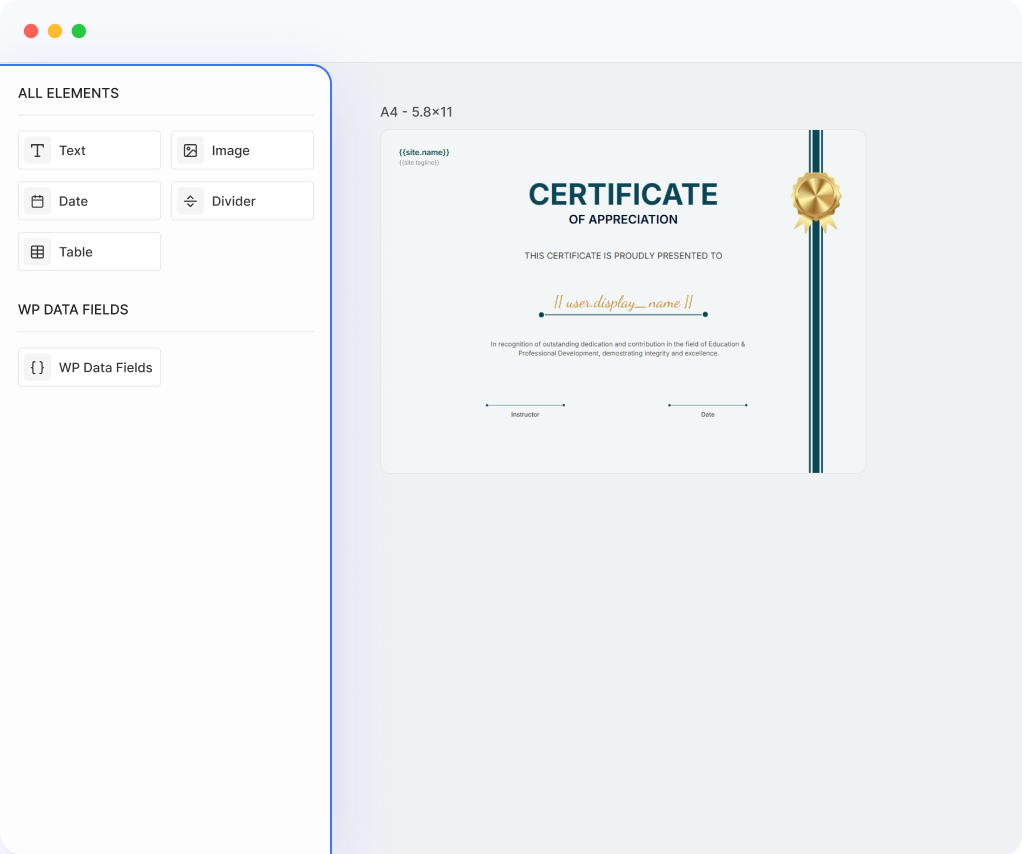
Elements
Add text, images, tables, and Data Fields anywhere on your PDF template.
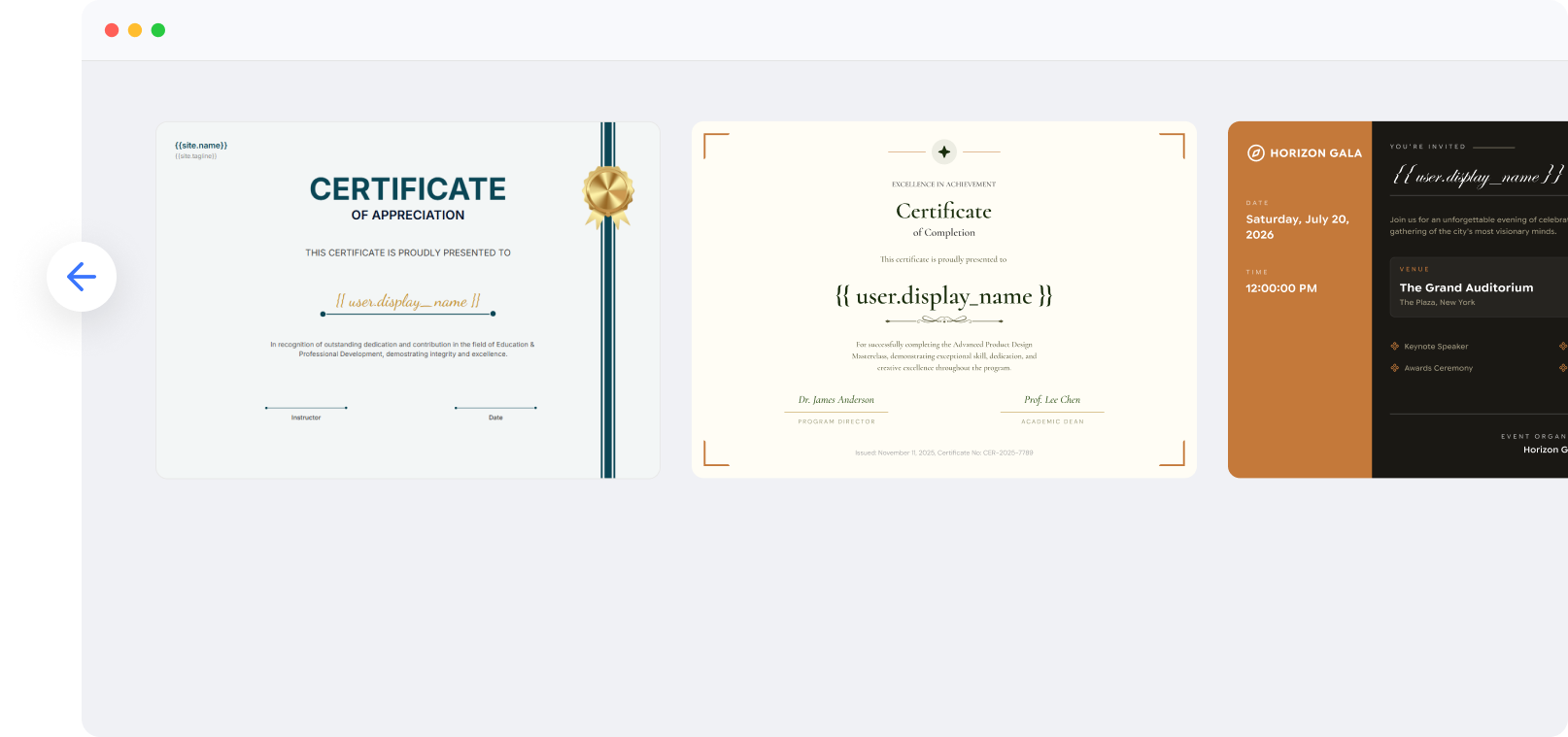
Library
Use ready-made templates to streamline workflow and increase efficiency.

Background
Add brand colors, custom images, or pattern backgrounds that match your brand identity perfectly.

Pages
Create PDFs as per your requirements. Manage pages with drag-and-drop ease.

Layers
Control exactly how elements overlap and stack. Arrange every layer with pixel-perfect precision.
USE CASES
What can you build with PDFDraft
From training academies to event organizers — any WordPress site can
generate beautiful documents automatically.

Course Certificates
Auto-generate certificates with student names, course titles, and completion dates.

Event Invitations
Create personalized invitation PDFs for each guest with their name and event details.

Post/Page to PDF
Start with one of the professionally designed templates and customize it in minutes.
FOR WOOCOMMERCE STORES
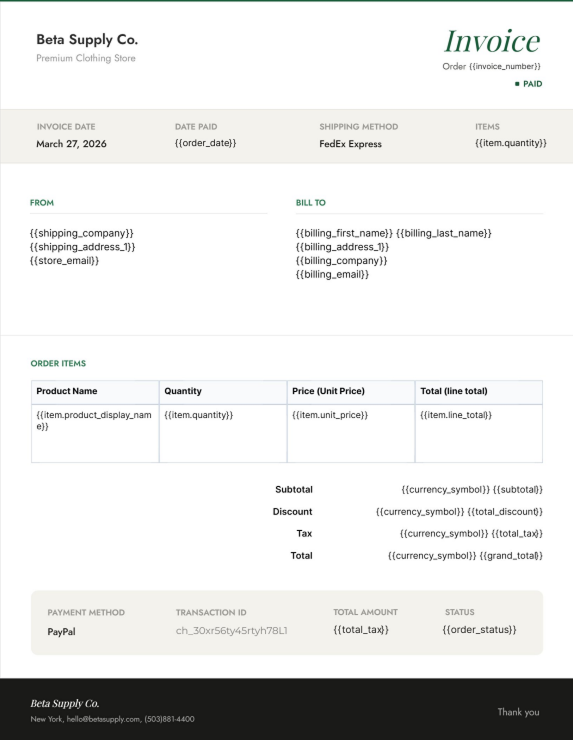
Branded Invoices for Every WooCommerce Order
Automatically generate invoices with your logo, colors, and business information using WooCommerce order data. Extend the same workflow to packing slips, receipts, and custom PDF documents.

WooCommerce Integration
Auto-generate invoices and receipts for every WooCommerce order. PDF attaches to the order email automatically.

Invoice Templates
Professional invoice layouts that pull in line items, totals, tax, and customer data from your store directly.

Packing Slips & Receipts
Branded packing slips and digital receipts generated automatically on purchase — no manual work.
Quick Setup
Up and running in under 2 minutes
Built for site owners, not developers. No shortcodes.
No technical setup.
Install the Plugin
Add PDFDraft to your site from WordPress.org
Choose a Template
Start with a template or a blank canvas
Design Your Layout
Arrange your content using the visual builder
Add Smart Tags
Insert dynamic fields like name and date to auto-fill content
Publish & Generate
Your PDFs are created instantly
TEMPLATE LIBRARY
Start with a beautiful template, make it yours
Professionally designed templates for every document type.
Free to use, easy to customize.
Evergreen
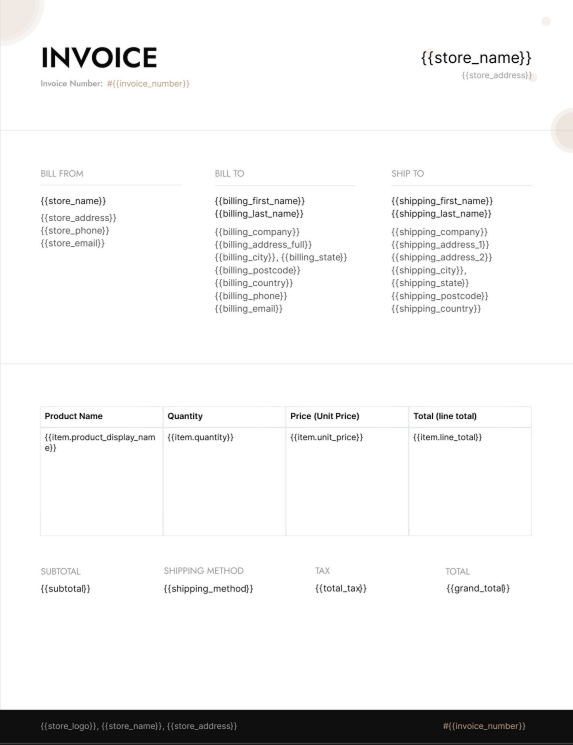
Evergreen
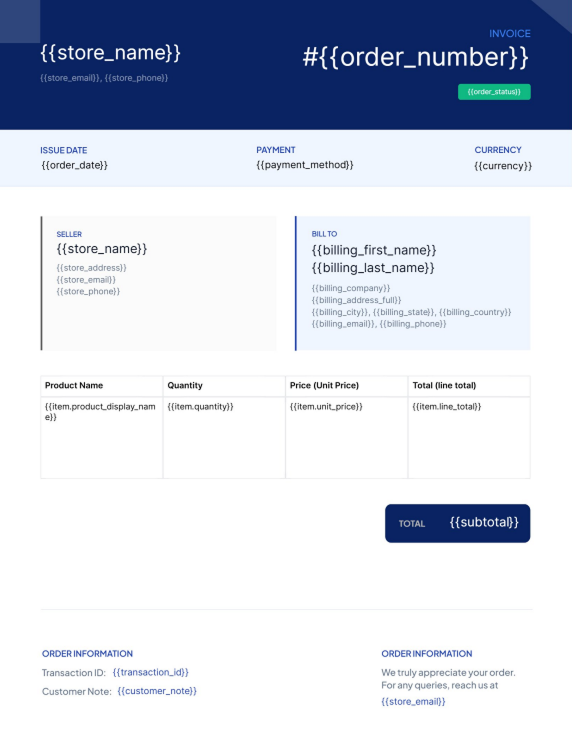
Evergreen
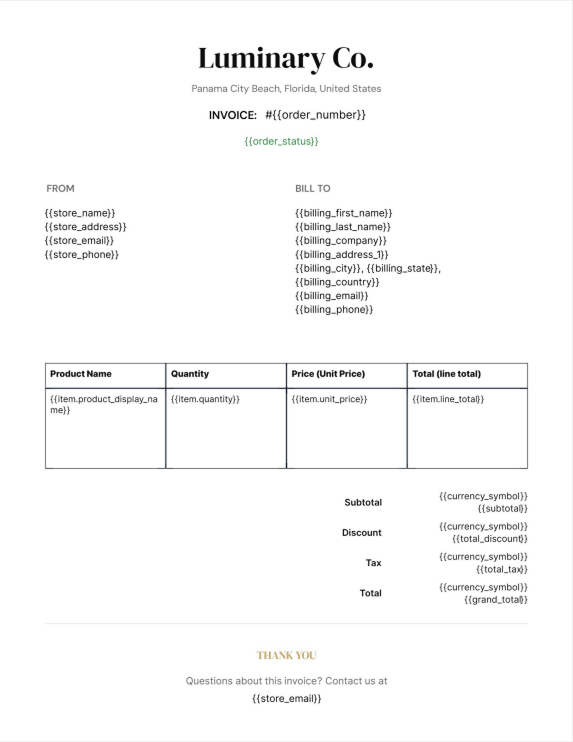
Evergreen
GET STARTED TODAY
Start Creating your PDF Today
Install PDFDraft and build your first PDF in under 2 minutes.